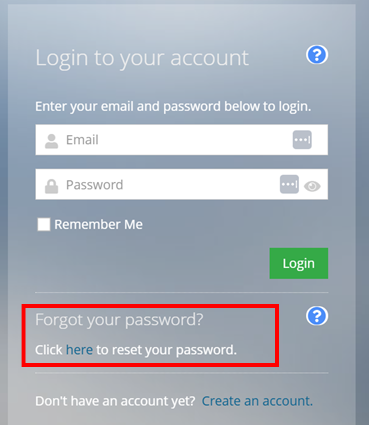
A dialog box will appear. Select “Click here to reset your password”
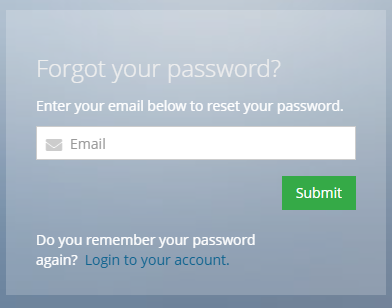
Step 2.Enter your email address. This will send a link to create a new password.
If you have questions or need immediate assistance with accessing your account, please contact usat [email protected]or give us a call at (630) 544-5056.
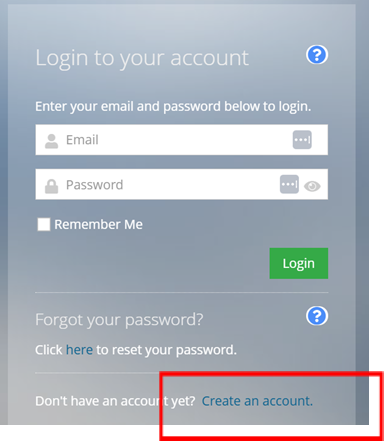
A dialog box will appear. Select “Create an account”
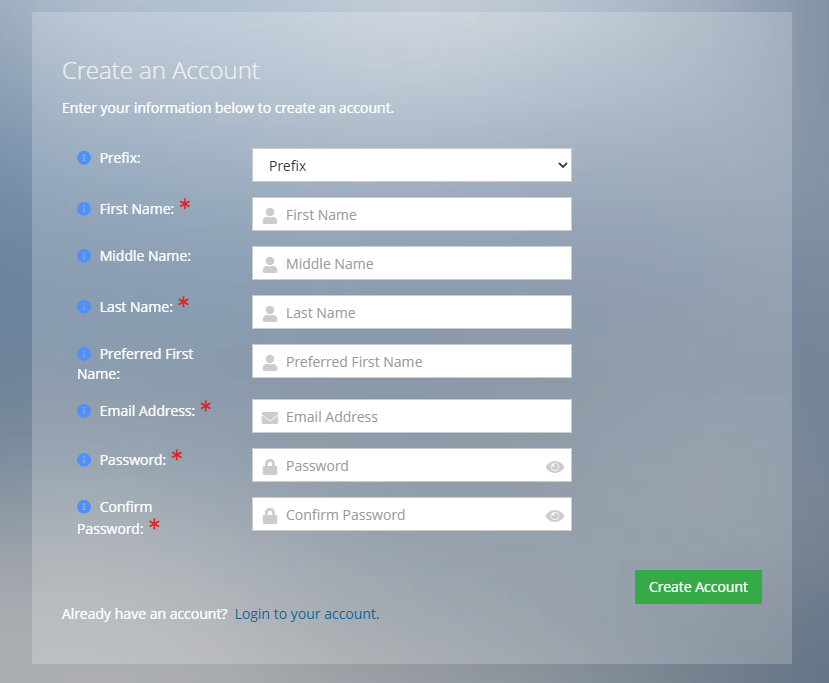
Step 2. On the Create an Account page, enter your information. If an account already exists with your email, the system will notify you, please revisit Step 1 for existing users to reset your password.
Create a new password with a minimum of 12 characters, including at least one uppercase letter, one numeric character, and one non-alphanumeric character. Then select “Continue.”
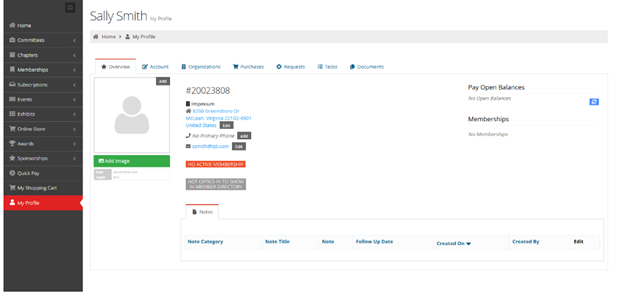
Step 3.You are now on your profile page. From this page you can update your information or navigate to other areas to purchase memberships, register for events, or access materials.
If you have questions or need immediate assistance with accessing your account, please contact usat [email protected]or give us a call at (630) 544-5056.